OneSecCV
Import your CV. Pick a template. Hit Generate.
The AI rewrites it. LaTeX compiles it. You get a pixel-perfect PDF in seconds.
What's new
Rebuilt from scratch. v2.0
The Python prototype is gone. OneSecCV v2.0 is a native desktop application - compiled Go binary, no Python runtime, no dependencies to install manually.
Native Go Binary
No Python, no virtualenv, no pip. Just an .exe. Double-click and it works.
Redesigned UI
Cosmic dark interface with animated stars, Neodyme-inspired orange & navy theme.
Auto-Retry on Error
If LaTeX compilation fails, the AI automatically rewrites and fixes the code. Up to 3 attempts.
MSI Installer
Proper Windows installer with Start Menu shortcut, desktop icon, and clean uninstaller.
Zero Data Collection
Your key is stored locally. Your CV data never leaves your machine except for AI generation.
Cross-Platform
Windows MSI + Linux binary + macOS app + Web version available.
Pick your design.
Preview it live.
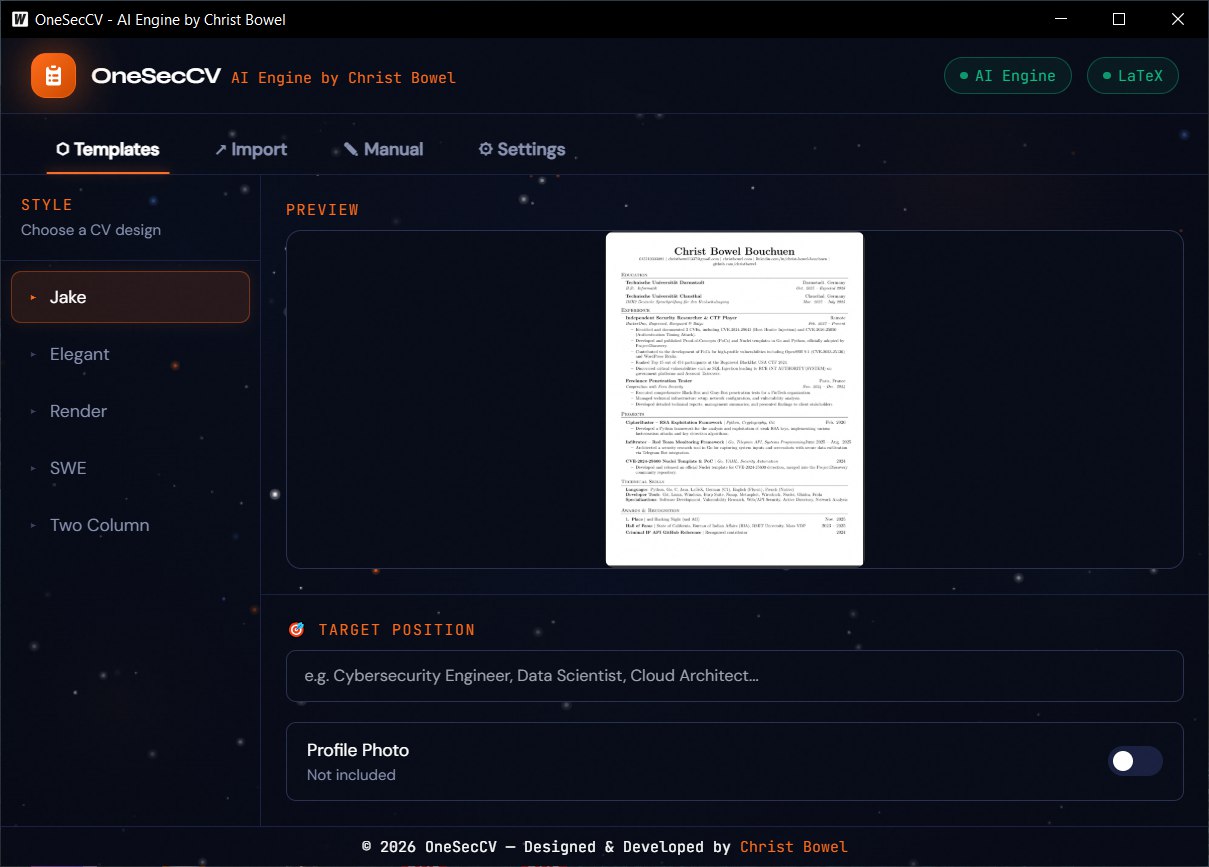
5 professional LaTeX templates included: Jake, Elegant, Render, SWE, and Two Column. Click a template and see the preview instantly. Set your target position and the AI will tailor the tone and keywords accordingly.
Import in.
Level up out.
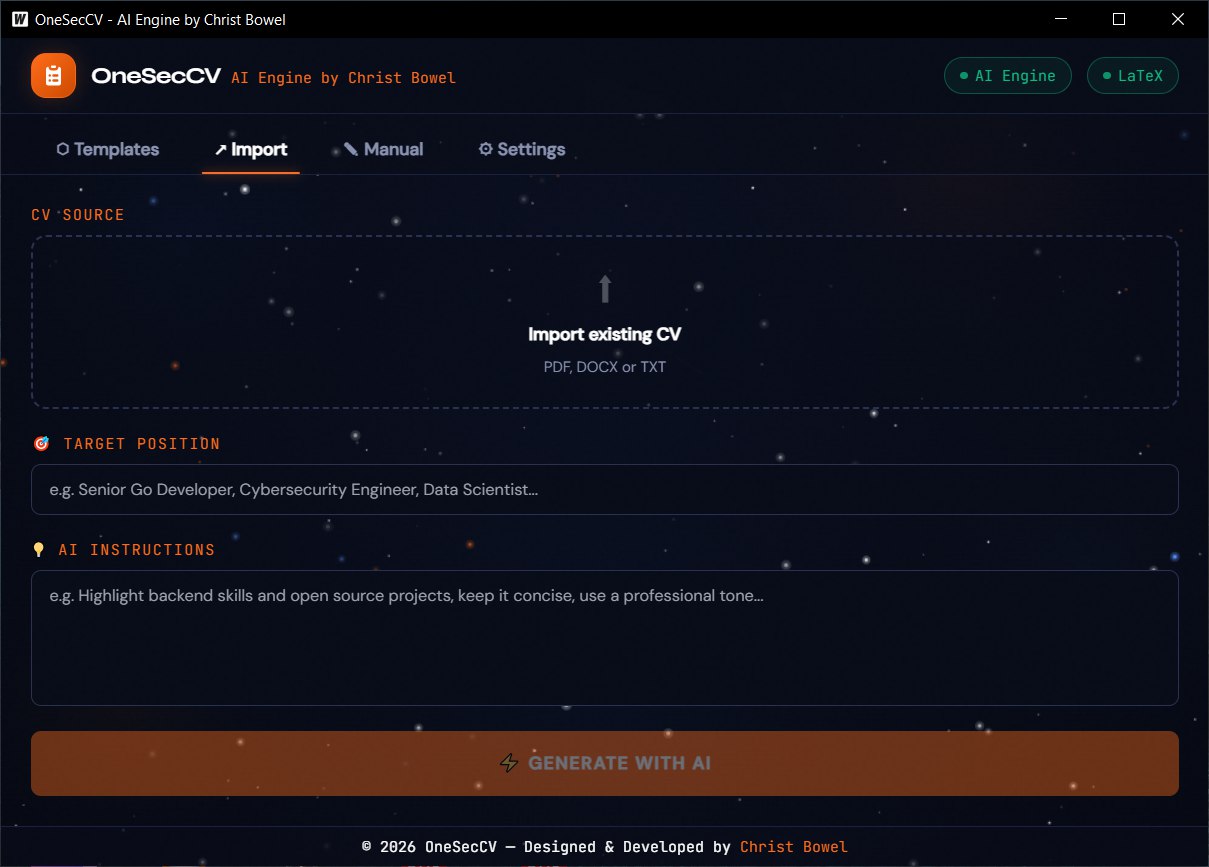
Got an old CV? Drop it in. PDF, DOCX or TXT. OneSecCV extracts all the text automatically. Then add your target position and any AI instructions: rewrite tone, translate language, emphasize specific skills.
- ▸ "Rewrite for a Go backend developer role"
- ▸ "Translate everything to English"
- ▸ "Emphasize CTF wins and CVEs"
Starting from zero?
We got you.
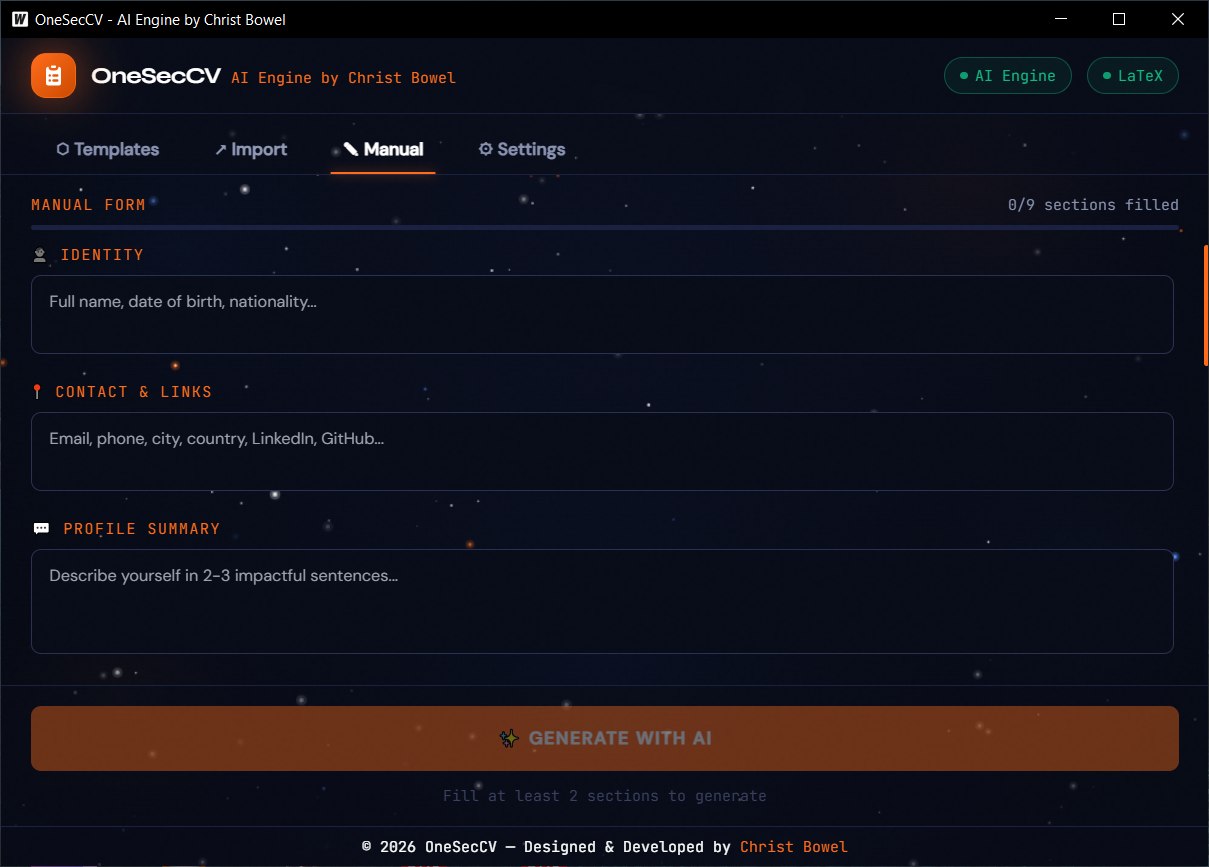
No existing CV? Use the Manual Form. 9 structured sections covering everything from Identity to Hobbies. A live progress bar shows how complete your profile is. Fill what you have, the AI handles the rest.
Your key.
Your machine.
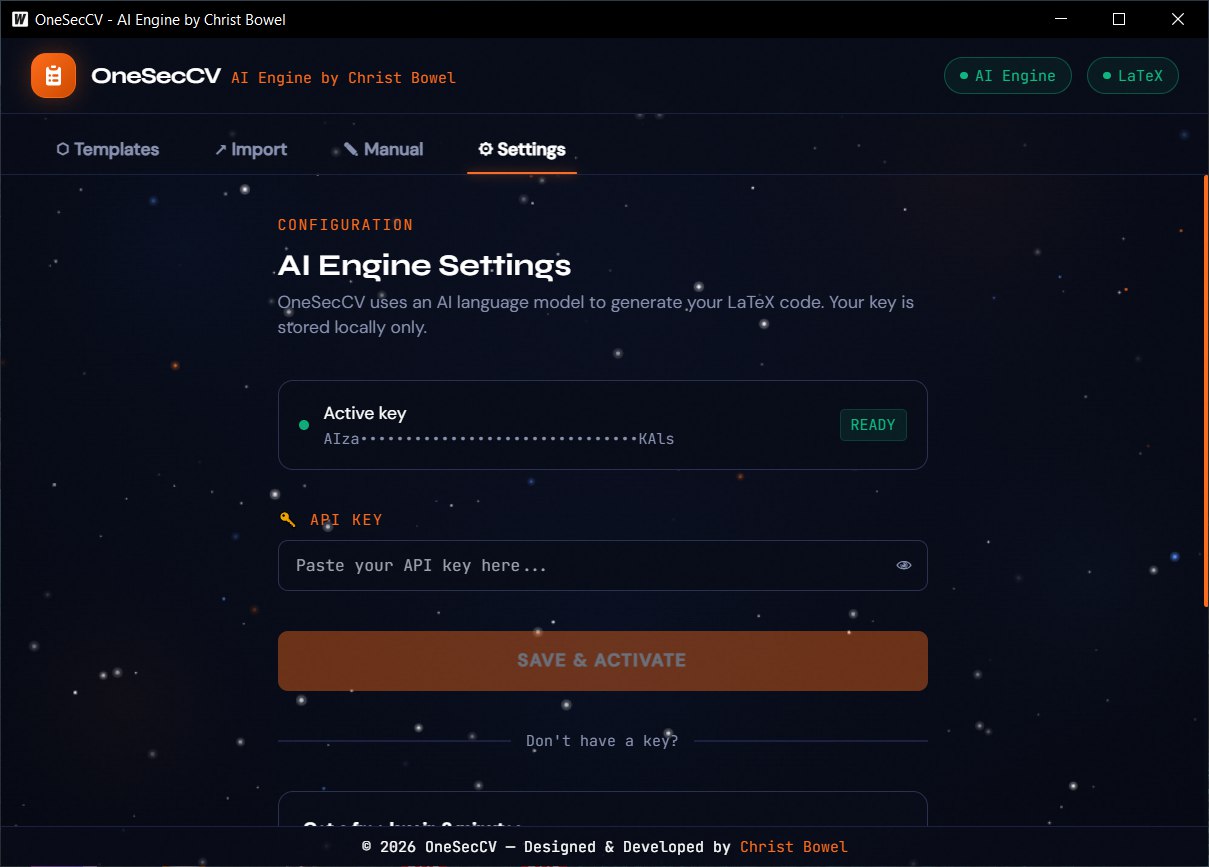
OneSecCV uses Google AI Studio (free tier) for generation. You bring your own API key. It is stored locally and never transmitted anywhere except directly to Google's API when generating.
Free key in 2 minutes
01 Go to aistudio.google.com
02 Get API Key → Create API key
03 Paste it in OneSecCV → Settings
The output
A CV that commands respect.
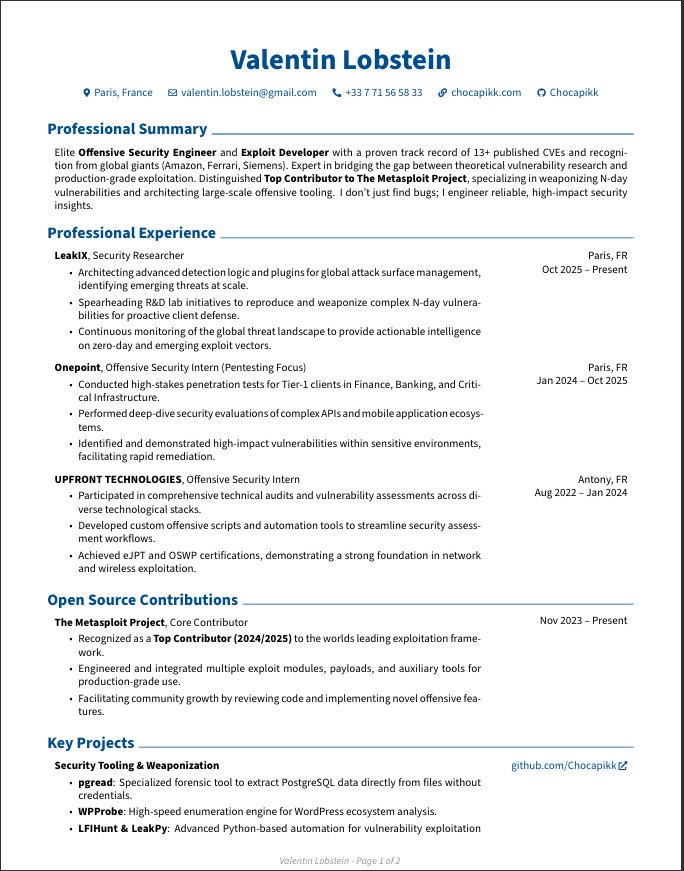
LaTeX-compiled PDF. Pixel-perfect margins. ATS-compatible. No Word artifacts, no broken alignment, no "design" fights.
How it works
Three steps. Thirty seconds.
Import or Fill
Drop your existing CV (PDF/DOCX/TXT) or fill the 9-section manual form. Add your target position and any AI instructions.
AI Generates
The AI engine rewrites your data into a clean LaTeX document. If compilation fails, it automatically fixes the errors.
PDF Ready
pdflatex compiles the document. Preview it in your browser or download the finished PDF directly.
Before you start
Requirements
MiKTeX Desktop only
LaTeX compiler needed for the desktop version. The web version compiles on our server, no install needed.
miktex.org/download →Google AI API Key Required
Free tier available. Get your key at Google AI Studio. Takes 2 minutes, no credit card.
aistudio.google.com →Windows 10 / 11 MSI Installer
Installs to Program Files, creates Start Menu & Desktop shortcuts, includes clean uninstaller.
Web Version No install
Use OneSecCV directly in your browser. No download, no MiKTeX, no setup. Just your API key.
oneseccv-go.vercel.app →Your data. Your machine. Full stop.
OneSecCV collects nothing. No account. No analytics. No telemetry. Your CV data is sent only to the AI provider (Google) when you click Generate. Your API key is stored locally. Generated PDFs are saved in your browser or your local output folder.
Ready?
Stop fighting
Word margins.
Download or try online. Paste your API key. Generate your first PDF in under 10 seconds. Free. Open source.
v2.0.0 · Windows 10/11 · Web · Built with Go · MIT License